Apply Suites
The Apply Suites task is used to apply any number of Suites or Combined Suites to the Devices in an organization.
- Click Apply Suites in the Tasks list. The Apply Suites window is displayed.
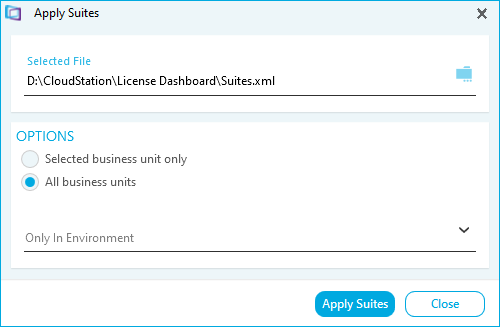
- Select the Restrictions for the task.
- Suites can be applied to devices in all Business Units or just the currently selected Business Unit.
- Suites can be applied to devices in a specific Environment.
- Click Apply Suites. A confirmation message is displayed.
- Click Close. The suites have been applied to the Devices.